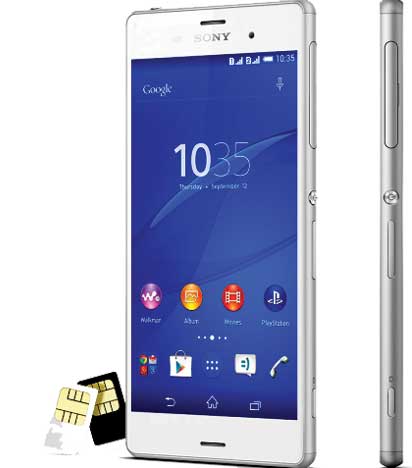
Xperia smartphone
By Maximilian Anosike
Complaints against some mobile phone batteries not capable of retaining energy are becoming recurrent among users.
While most users tie the problem to influx of fake and substandard batteries in the market, there is still the likelihood that bulk of it could be inappropriate usage and inability of some users to study their mobile phones to get the best ways to manage the batteries for sustainable life span.
However, there are a few tips on how a user can maximise the battery strength of the smartphone.
Reduce display resolution
It may look so attractive to set the display of your mobile phone to the highest of power resolutions. This brightens the phone screen and apparently gives the user the best of clarity. But on the other hand, that background light on its own, drains the battery power twice or more than voice calls can do.
Now that you know that display consumes battery life at a devastating pace, turning your screen brightness to the lowest settings could be your best option. At least, it will help in extending the battery life.
Reduce screen time out
Some phone users feel inconvenienced when their phone screen quickly times out after one activity. As a result, many find the answer in extending the screen time out to as much as 5 minutes. What they however forget is that the 5 minutes the screen remains on is as much time, if not twice, that the battery drains. To help the phone’s battery, the timeout should not be more than 15 seconds.
Turn off data when not in use
Turning on WI-FI , GPS, Bluetooth when not needed draws on the battery strength more than any user could imagine. So, no matter how much you love using Bluetooth, hands-free headset, wireless speaker or activity tracker, turn them off when they are not serving you any purpose.
Multitasking is a culprit
Multitasking is allowing more than one app to be active at a time on a mobile phone. However, this runs down the energy of the battery so fast. The reason is because every application the phone runs uses a share of the phone’s processor cycle. It will be of a great help to the user’s battery if workload is drastically reduced on the processor.
Let your phone ring out more
The use of vibration is indispensible because it helps the user to be alerted on any incoming notifications without distracting activities in a meeting, church service or other engagements. But unfortunately vibration consumes much energy than playing a ringing tone. Though ringing tone can be distracting when silence is needed, for the interest of the battery, let your phone ring more than vibrating. .
Activate power saving mode
One of the best ways to manage the smart phone battery is to activate the power saving mode. This feature prevents the apps from updating in background and helps dim the phone screen, reduce the screen time out settings, disable on screen animation and other power consuming programs. It turns on its self when the battery level drops to 20 percent.
Disclaimer
Comments expressed here do not reflect the opinions of Vanguard newspapers or any employee thereof.