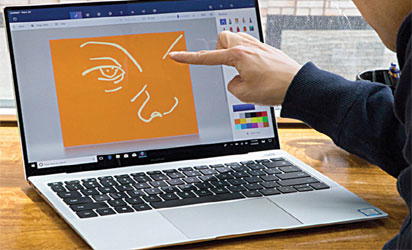
Huawei MateBook X Pro
By Juliet Umeh
At times, people get dis-appointed with their newly purchased laptop or personal computer, PC, for reasons such as underperformance, low battery and similar issues shortly after purchase.
However, some of these issues are avoidable if certain things are done.
For you to have optimal performance for your newly acquired gadgets, vital settings are required.

A new laptop comes with standard warranty and basic windows OS setup and you must customize it for your personal use with these tips:
*Register for warranty
Most vendors may want their customers to register the new products online on their product site for warranty claims and other offers on the laptop. Therefore, you need to enter the serial number of laptop, model number, purchase date, and vendor name. You should also keep the hard copies of bill or warranty card in a file or folder at a safe place.
https://newlive.vanguardngr.com/2019/01/us-government-shutdown-could-last-a-long-time-trump-warns/
*Remove bloatware
Bloatware is promotion software that comes bundled with many laptop brands. The bloatware often comes in windows-based systems and is not found on Chromebook or a MacBook. The first thing you need to do after purchasing a new laptop is to remove them.
*Update windows
Microsoft windows keep on releasing new updates and security patches for software bugs and malware. You need to be connected to the internet before updating windows.
*Create restore point
This is one of the important things to do after installing all the necessary drivers and applications. Restore point comes to your rescue in case windows gets corrupted or some software drivers are not working. You can easily recover the operating system to the date you have created a restore point.
*Install Anti-Virus software
In this era of cyber-attacks that include malware, spyware or ransomware threats, you must have robust security software installed on your system. Although windows come with pre-installed windows defender security software, you must install third party anti-virus software since it comes with many additional security features.
*Create automatic backup
You can setup automatic backups on new laptops as this is a great feature to protect your all-important data. You can select the particular drive, folder or files for scheduled backup. This is an inbuilt windows OS feature that lets you backup and restores the data from hard-disk.
*Set default programs
Setting default programs to open files is a necessary action. In windows-based system, you need to open settings>Default apps. Here, you can set the preferred app to open mails, map, browser, music player, photo viewer and much more.
*Surge Protection
It all depends on the power conditions in your home or office where you are going to use your computer . If you are using a PC, you must buy an offline UPS since it not only provides power-backup; it also controls power-spikes.
*Buy supporting accessories
Most new users are not comfortable with touch pad of a laptop. In such a scenario, you can buy an external mouse that is comfortable to grip and use. You can also buy headphones to listen to your favourite music.
Disclaimer
Comments expressed here do not reflect the opinions of Vanguard newspapers or any employee thereof.