
Ask a beginner what trading is, and the answer is usually “guessing whether a price will go up or down.” But the click that opens a trade is the shortest part of the process. What shapes your results is everything around it: how you practise, how you read the market, where your ideas come from and how you manage risk.
That is why a platform’s tools matter more than its buttons. Binarium is an online trading platform that has been operating since 2012. It is available in a browser and as an Android or iOS app, and offers up to 129 assets depending on the account type. The platform supports naira accounts and local payment methods for Nigerian users. Around the trade ticket sits a full set of learning and analysis tools: a demo account, a TradingView chart, an economic calendar, a Trading Room with ideas from experienced traders. This guide explains what each tool does, why it is useful and where its limits are.
1. The Binarium demo account: practise with a purpose
New users receive a demo account with ₦10,000,000 in virtual funds. You can switch between demo and real accounts at any time by clicking your balance in the terminal. Demo funds cannot be withdrawn. You can explore the platform’s features through a Binarium demo account before considering real-money trading.

A trade is simple in structure: choose an asset, an expiry time and an amount, then decide whether the price will be higher or lower at expiry. If the asset shows a 90% payout and you stake ₦10,000, a correct prediction returns your stake plus ₦9,000, while a wrong one costs the full ₦10,000. Payouts vary by asset.
Instead of clicking around, give the demo a job:
- Test one idea repeatedly, such as one indicator on one timeframe, and see how it behaves over many trades.
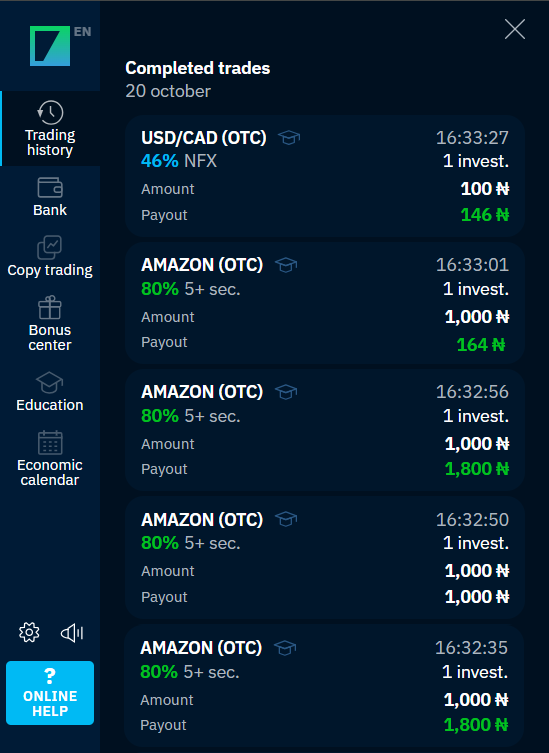
- Review the History section afterwards and look for patterns in your own decisions.
- Notice how you react after a loss. That is the habit worth fixing before real money is involved.

A demo cannot reproduce the emotions of live trading, so a good result there does not prove you are ready.
2. Charts and analysis tools: reading before reacting
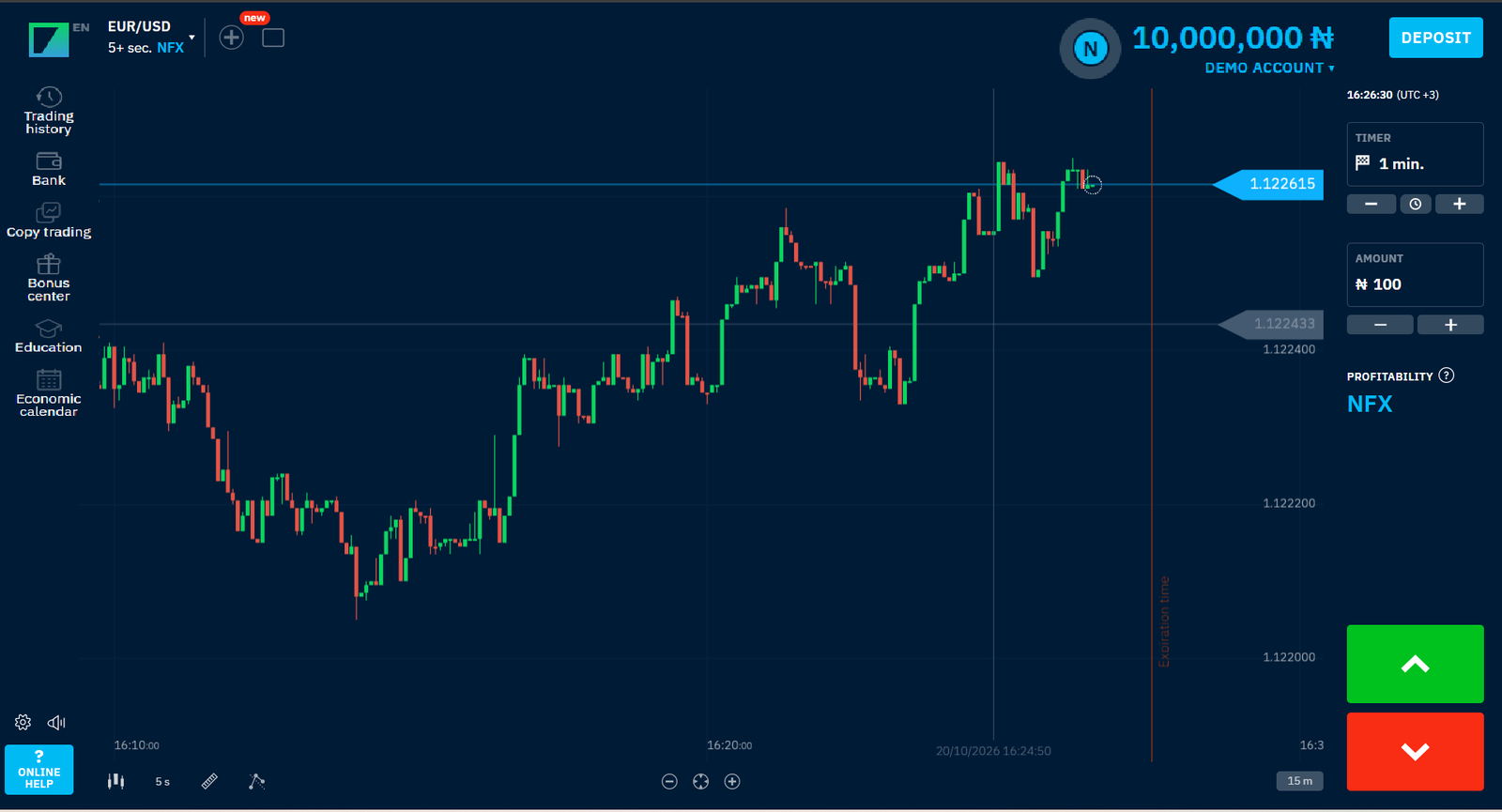
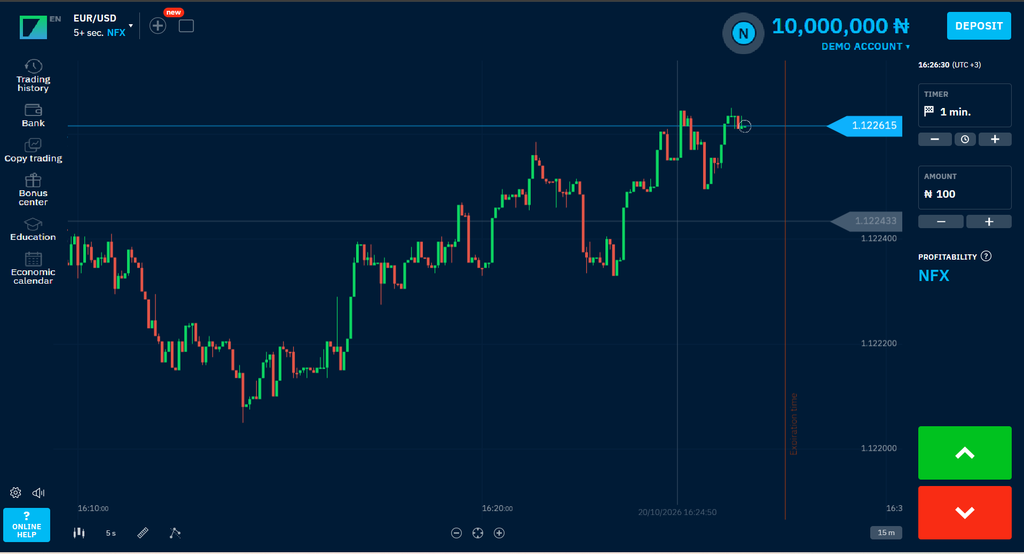
The chart is the center of the terminal. It integrates with the Trading view chart, a charting tool many traders around the world already know. Learn its lines first. A horizontal line follows the current price, a dotted vertical line marks the last moment you can open a trade, and a second vertical line marks expiry, when the result is decided. The panel on the right shows the payout percentage and the amount you would receive on a correct prediction, so you can see what is at stake before you click.

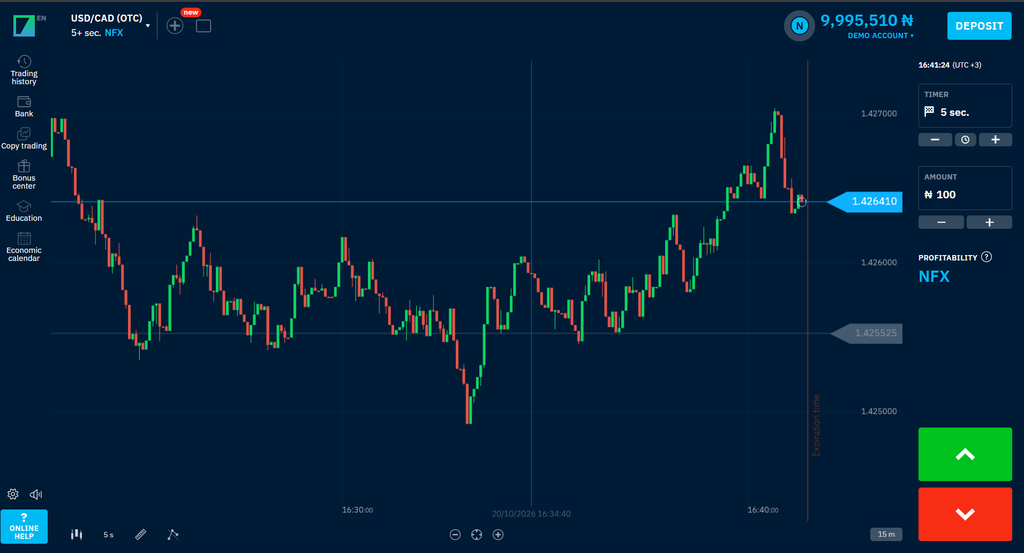
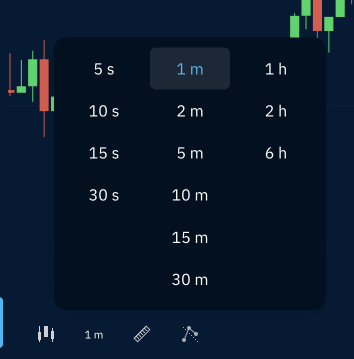
The terminal’s chart can be switched between area, candlestick, bar and line views. Candle size ranges from 5 seconds to 6 hours, and the chart period from 1 minute to 1 day. A line chart shows the overall direction, while candlesticks add the open, high, low and close of each period.

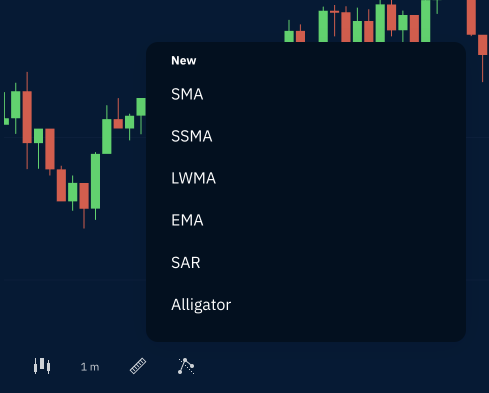
The standard chart includes popular indicators and drawing tools:
- SMA (simple moving average) smooths price data so the underlying trend is easier to see.
- Bollinger Bands show how stretched the price is compared with its recent range.
- Drawing tools such as segments and curves let you mark support, resistance and channels directly on the chart.

Two lesser-known features help too. On the desktop you can view up to four charts in one window, which makes it easier to compare assets. And the trader sentiment scale shows what share of current trades on an asset expect the price to rise and what share expects it to fall. It reflects what the crowd is doing, not what the market will do.
The economic calendar: knowing when the market may move
The Economic Calendar section lists scheduled events with filters for yesterday, today, tomorrow and the week. Each entry shows how long is left until the event, the country, the event name and a strength indicator of one to three triangles. The more triangles, the bigger the event’s expected impact on the market. A routine government bond auction carries one, while a major employment report typically carries three.

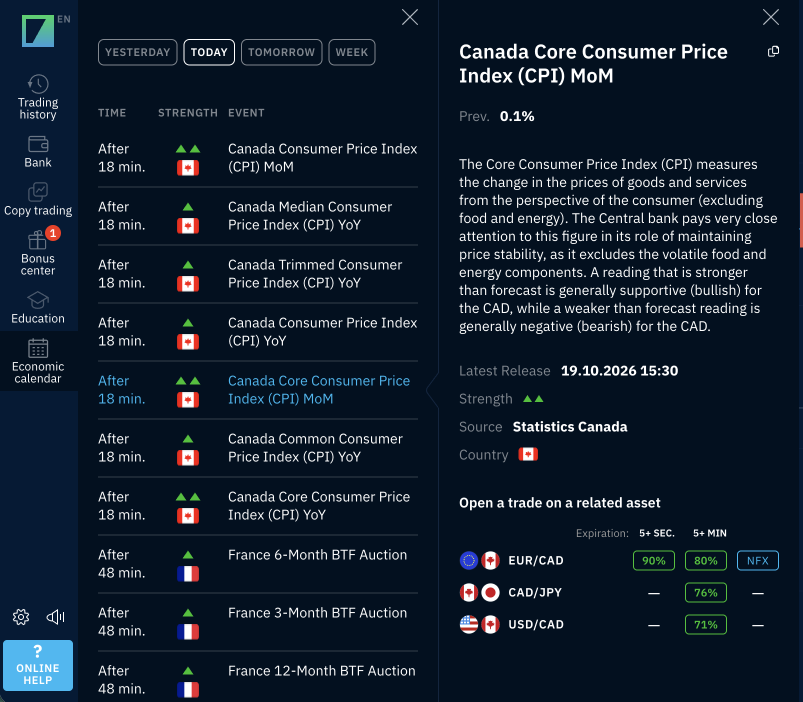
This matters because prices often move sharply around big announcements. A beginner may prefer to avoid opening a trade minutes before a three-triangle release, while a more experienced trader may watch exactly those moments. Either way, it is better to know an event is coming than to be surprised by it. Event times follow the time zone set in the terminal’s Settings, so you can match them to West Africa Time.
3. Trading Signals and the Trading Room: ideas to learn from
The Trading Room is a separate section in the terminal’s left-hand menu, and it is where Binarium’s trading signals appear. Access starts with the Business account, which the platform assigns once your total deposits reach around ₦750,000. Business and Premium accounts can enter the Business room, while VIP accounts can enter both the Business and VIP rooms. Inside, a feed of trade cards shows what selected traders, including verified pros, are trading. Each card lists the asset, expiry time and strike price. You choose whose trades appear in the feed.
For someone learning, the value is educational. Seeing which assets and expiry times experienced traders pick shows how they think about the market. Treat every card as a hypothesis to check: look at the chart, decide your own stake, and test the approach on a demo account first. No trader’s call is guaranteed, including a professional’s.
Advantages for Nigerian traders: naira accounts, local payments and NFX mode
Beyond the tools, several details make Binarium easier to use from Nigeria.
- Account currency. Nigerian users can open an account in naira or in US dollars. You choose the currency at registration, and it cannot be changed later.
- Minimum amounts. The minimum deposit is ₦5,000. The minimum trade is around ₦1,000. Minimums can vary by payment system, so check the Cashier.
- Payment methods. The Cashier for Nigeria includes bank transfer, Visa cards and the local wallets OPay and PalmPay. Crypto options include Bitcoin, Ethereum, USDT and USDC, as well as Binance Pay and Bybit Pay. Methods can change, so check the Cashier after registering.
- NFX mode. Besides the standard mode, where each asset shows its own payout percentage, Binarium offers NFX mode, where the payout is calculated for every trade separately. It depends on factors such as the number of active traders and the volatility of the asset. A variable payout does not change the risk: a wrong prediction still costs the full stake.
- Fees and withdrawals. Binarium states that it covers payment-system fees on deposits and withdrawals, subject to its terms. Identity verification is required before you withdraw.
Getting started: promo code VANGUARDNG
Binarium combines a demo account, TradingView charts, an economic calendar and a Trading Room with practical details for Nigerian users, from naira accounts to local payment methods. Used with a clear plan and money you can afford to lose, these tools give newcomers a way to learn the platform before they commit.
Once you have practised on the demo account, you may want to try the platform with real funds. Vanguard readers can use the dedicated promo code: enter VanguardNG with your first deposit and receive a 100% bonus.
Activate the VANGUARDNG bonus.
Risk warning
Trading involves significant risk and may not be suitable for everyone. Prices can change quickly, and you may lose some or all of the funds you invest. Signals, other traders’ trades and past results do not guarantee future outcomes. Never trade with money you cannot afford to lose. Before opening a live account or using any promotional offer, review the platform’s current terms and conditions, including bonus and withdrawal conditions. This article is for information only and is not financial advice.
Disclaimer
Comments expressed here do not reflect the opinions of Vanguard newspapers or any employee thereof.